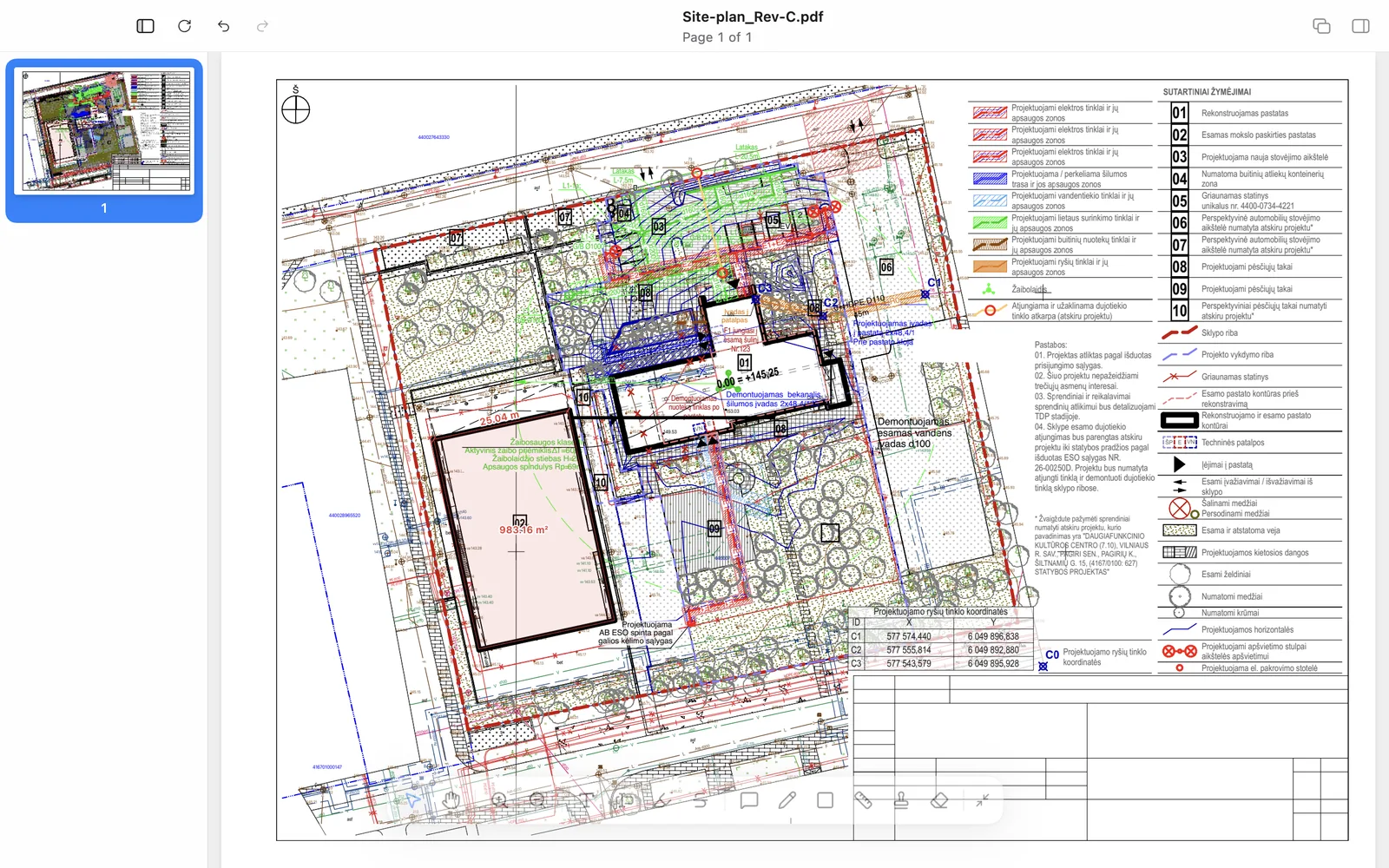
Most PDF editors can put a red circle on a page. Drawing markup software is something narrower: a tool that architects, engineers and contractors can use all day on large construction drawings without fighting it. The difference only shows on real sheets, a 50 MB plan exported from AutoCAD, Revit or ArchiCAD with tens of thousands of lines, and that is exactly where a quick trial on a sample PDF misleads you. This is the checklist we use in our own studio when we judge a markup tool, followed by how Ncored, the editor we built, answers each point.
Ten things to test before you choose drawing markup software
- Speed on your heaviest sheet. Open your biggest drawing, zoom into a corner, pan across, zoom out. If the picture blinks white, redraws in pieces or the window freezes, it will do that a hundred times a day.
- Revision clouds. A real cloud tool with adjustable bumps, not a freehand wiggle.
- Measurement at scale. Length, polyline and area, with a scale per sheet and snapping to the drawing's linework.
- Revision compare. An overlay of two revisions that shows what was added and removed, so a back-check means one look at the colours instead of reading every line again.
- Drawing line types. Dashed, dotted, centerline and property lines read as drawing language; a single solid stroke does not.
- Your own stamps. An approval or review stamp made from your office's own image, reusable across projects.
- Standard PDF annotations. Markups must open correctly for the receiver in whatever PDF viewer they use. Proprietary formats lock your comments inside one product.
- Printing to scale. Print a whole sheet or a framed region at a real scale, including the markups.
- Windows and Mac. Many architecture offices run both. One tool on both platforms means one workflow and one set of habits.
- Licensing you can live with. Subscription, yearly or a one-time licence, and whether the files stay on your own computer or go to a cloud service.
A quick way to run the test
- Use two real PDFs from a current project, one heavy plan and one detail sheet. Sample files from the vendor are always light.
- Do the same five actions in each tool: zoom and pan, cloud an area, measure a room, compare with the previous revision, print a region to scale.
- Send the marked-up file to a colleague who uses a different PDF viewer and ask what they see.
- Write down what annoyed you after an hour. That annoyance will still be there in a year.
How Ncored answers the checklist
| Point | In Ncored |
|---|---|
| Heavy sheets | Opens 50 MB and larger drawing sets fast and stays smooth on zoom, pan and scroll. See our stress test with a dozen PDF editors. |
| Revision clouds | Cloud shape with adjustable bump size and optional fill. |
| Measurement | Length, polylength and area, scale per sheet by ratio or calibration, snapping, metric units. |
| Revision compare | Overlay of two revisions: added in blue, removed in red, unchanged in grey. |
| Line types | Solid, dashed, dotted, centerline, property line and more for polygon lines. |
| Own stamps | Stamp from your own image, with one-click white background removal. |
| Standard annotations | All markups and measurements are standard PDF annotations; Acrobat lists the measurements as measurements. |
| Print to scale | Whole set or a framed region of a sheet, at a readable scale. |
| Platforms | Windows 10 and 11, Apple Silicon Mac. Interface in English and German. |
| Licensing and data | Monthly, yearly or a one-time licence for individuals; per-seat plans for teams. Files stay on your computer, nothing is uploaded. |
Where Ncored is not the right tool
Honesty saves everyone time. Ncored has no live multi-user markup sessions; markups travel with the file. It has no quantity takeoff database, no count tool, and measures in metric units only. It has no arrow leader callout tool; we use comment pins and text instead. There is no OCR, no form filling and no signature creation. If those are the core of your day, choose a tool built around them. If your day is opening heavy drawings, marking them up, measuring, comparing revisions and sending them back, that is what Ncored is for.
Frequently asked questions
What is drawing markup software?
Software for adding review comments, revision clouds, measurements and stamps to construction and engineering drawings, usually as PDF annotations, without changing the original linework.
Do markups made in one tool show up in another?
Yes, if both tools use standard PDF annotations. Ncored saves standard annotations, which open in Adobe Acrobat, Apple Preview and other standards-compliant viewers.
Can I try Ncored before buying?
Yes. It is free for 14 days on Windows and Mac, with no signup.
Related: how to redline a PDF drawing, PDF measurement tool for drawings, comparing two PDF drawings, marking up construction drawings.