Measuring a distance, an area or an angle on a PDF construction drawing is a daily task for architects, engineers, quantity surveyors and site superintendents. The drawing was issued at a specific scale (1:50, 1:100, 1:200, 1:500). The PDF needs to be calibrated to that scale before any measurement reads correctly. A general-purpose PDF tool that does not understand drawing scale gives you measurements in screen pixels, not in real units, and that means every measurement has to be recalculated by hand.
Why measuring on PDF drawings is harder than it should be
Drawing scale calibration is the missing step in most general-purpose PDF tools. The PDF stores points and millimetres at print scale, but a typical Adobe Acrobat workflow asks for two reference points and a known distance to derive the scale. Without that calibration step, distance and area measurements come out in PDF units, not real-world units. For a quantity surveyor cross-checking takeoff, a site superintendent verifying as-built dimensions, or an architect checking a setback against the boundary, that is hours of recalculation per project.
How Ncored handles measurements (what ships today)
Ncored is a desktop PDF editor for Windows and Mac. Set the scale per sheet by ratio (1:50, 1:100 or any ratio you type) or calibrate by clicking both ends of a known length, and apply one scale to all sheets in one click. Then measure length, polylength and area, snapping to corners, line ends and crossings on the drawing; hold Cmd or Ctrl to suspend snapping. Dimension lines end in a tick, arrow, dot or no marker, with adjustable line weight and text size. Measurements are saved as standard PDF measurement annotations, in the same structure Bluebeam Revu writes, and Adobe Acrobat lists them as measurements. Units are metric only today (millimetres, centimetres, metres). Feet and inches, count, angle and volume are not in Ncored yet, so for imperial or takeoff work Bluebeam Revu and PDF-XChange Editor remain the established options on Windows.
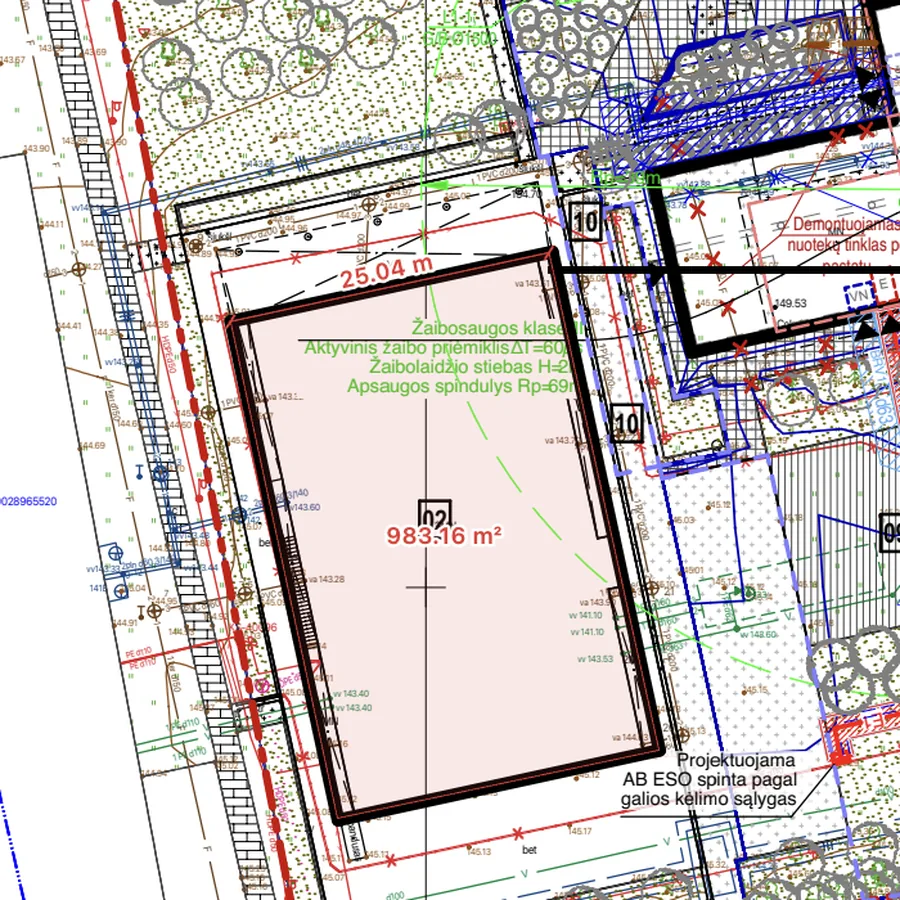
A longer walkthrough, with a paper-to-real scale table and five checks before you trust a number: PDF measurement tool for drawings.
Try the 14-day free trial
Download NcoredPDF measurement tool comparison
Bluebeam Revu is the industry standard for calibrated PDF measurement on Windows, with takeoff tools and scale calibration mature. PDF-XChange Editor offers measurement at low Windows perpetual licence cost. Adobe Acrobat Pro has measurement tools but tends to stall on construction drawing sets above 50 MB. For Mac users the other options are limited (Bluebeam Cloud in a browser, or PDF Expert with limited measurement). Ncored measures natively on Mac and Windows in metric units; for feet and inches today, use one of the tools above.