The best PDF app for architects and engineers on Windows depends on the files you open. For markup-heavy construction work the usual candidates are Bluebeam Revu, Adobe Acrobat, Foxit and PDF-XChange Editor. For heavy 50-200 MB+ project sets exported from AutoCAD, Revit and ArchiCAD, Ncored is the pick for that case: it opens fast, stays smooth on scroll, zoom and pan, runs on Windows and Mac, and has a buy-once option. We tested the major viewers on real AutoCAD, Revit and ArchiCAD exports, here's what works and where each tool falls short.
Why Architects Need a Different PDF Viewer
The PDF format was designed in 1993 for printable contracts and reports. It works flawlessly for a 10-page lease, an annual report, or a sales deck. But the file an architect opens is a different species:
- 50-200 MB+ on disk, sometimes more on complex projects
- 30 to 200+ pages of site plans, floor plans, sections, elevations, visualizations, and MEP schedules
- Vector-dense, thousands of lines, dimensions, and callouts per A1 sheet
- Multi-layer, structural, electrical, plumbing, finishes, exported from ArchiCAD, Revit, AutoCAD, or Vectorworks
Most PDF viewers were built for the first kind of file. Open the second kind in them, and you wait. You scroll, and you wait again. You zoom into a stair detail to check a riser dimension, and the screen freezes for two seconds.
What to Look for in a PDF Viewer for Construction Drawings
If you're evaluating PDF viewers for architecture, engineering and construction work, five things matter more than the marketing page suggests. Test each tool against all five before deciding.
Try Ncored on your slowest drawing →
Ncored: Built for architects, engineers and construction teams
Ncored is the PDF viewer we built at Noir architects after years of fighting the same daily friction. We wanted four specific outcomes, not features, not settings, just four things that had to feel right.
Ncored opens the same 50-200 MB+ set fast and stays responsive on zoom and pan, where general PDF tools stall, freeze, or get choppy.
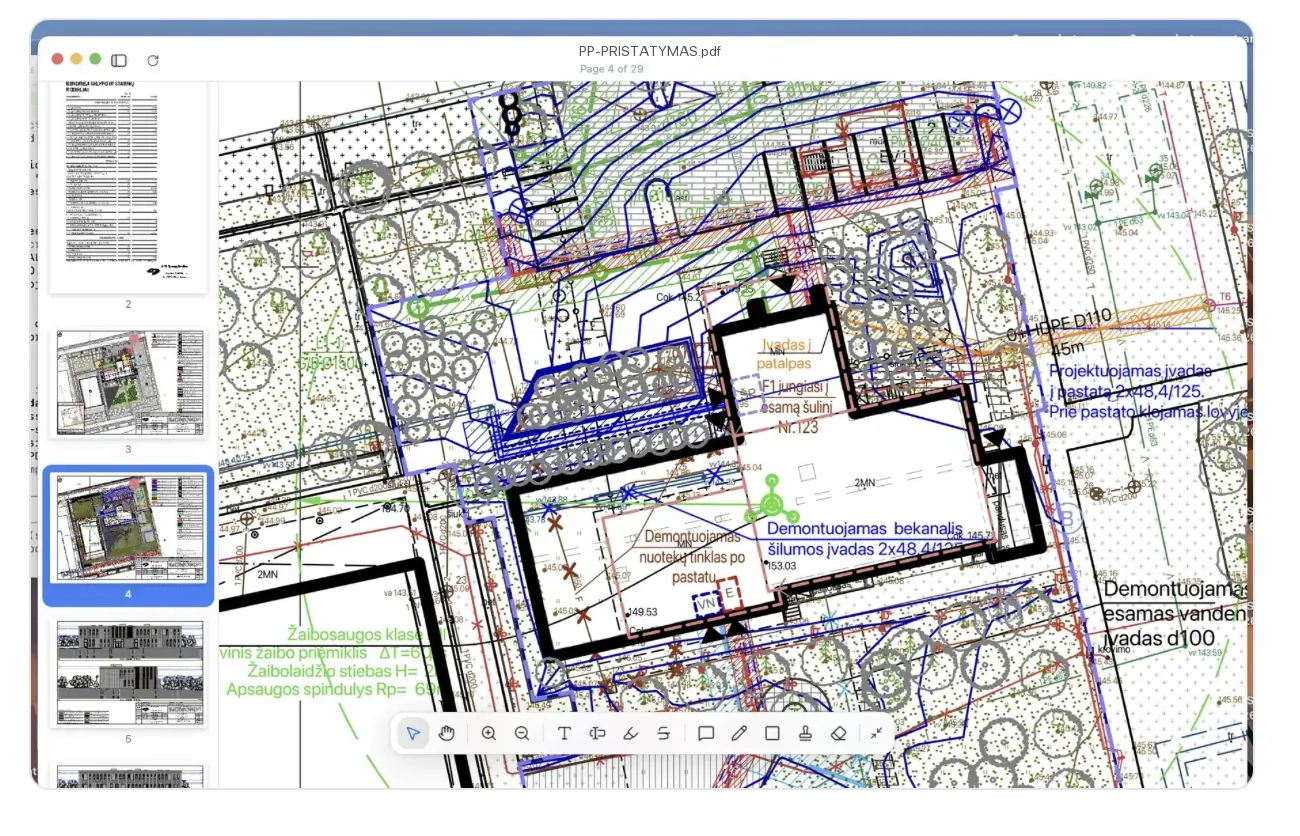
What's included: heavy file rendering, full markup and annotation tools, in-place text editing, text search across hundreds of pages, PDF compression up to 600 DPI, two devices per license, and every future update. €12.99 a month or €79.99 a year, with a 14-day full-feature trial. The trial needs no signup, no email, nothing to enter; after it ends an account keeps you going.
What's deliberately not included: digital signature workflows, complex form engines, and the thousand-tool toolbar most architects never touch. We focused engineering on the things architects, engineers and construction teams open a PDF viewer for, ten times a day, opening, scrolling, zooming, marking up, searching.
Adobe Acrobat®: The Universal Standard
Adobe Acrobat® is the industry standard for PDF, and for good reason. It handles complex graphic design workflows, advanced form creation, digital signatures, and document collaboration at a depth no other tool matches. Three decades of development have made it the most feature-complete PDF tool on the planet, and almost every business workflow on Earth touches it at some point.
Where Acrobat® was never optimized: real-time rendering of high-density vector construction drawings. On a 50-200 MB+ ArchiCAD export the application freezes during initial parse and again during zoom. This isn't a bug, it's an architectural choice. Acrobat is built to be reliable across every PDF feature, and that breadth comes at the cost of raw rendering speed on very heavy files.
If your day depends on creating forms, signing contracts, or designing print-ready documents, Acrobat® is the right choice. If your day starts with a 50-200 MB+ drawing set, it's the wrong fit.
Pricing: ~€22/month or ~€264/year per user (Acrobat Pro plan; prices may vary by region, verify on adobe.com).
Bluebeam Revu®: The Construction Collaboration Backbone
Bluebeam Revu® is the most respected name in construction-specific PDF tooling. Studio Sessions, cloud-based markup review, punch lists, and RFI workflows are built specifically for large architecture and construction firms. Many big practices run their entire QA/QC review process on Bluebeam, and for good reason, nothing else in the market matches its depth of construction-team collaboration features.
Where Bluebeam Revu® falls short for many studios: its macOS version. The Mac build has historically lagged behind the Windows release in features and stability, a known frustration for Mac-based architecture practices. For raw opening speed on a single very heavy drawing, Bluebeam is solid but not exceptional.
If your firm runs on Bluebeam's collaboration ecosystem and your team is on Windows, the investment makes sense. If you're a 1-10 person studio on Mac that doesn't need Studio Sessions, Bluebeam's price tag is hard to justify for the parts you'd actually use.
Pricing: ~€25/month or ~€300/year per user (Core plan; verify on bluebeam.com).
Foxit, Nitro PDF, and Apple Preview
Three quick takes on the rest of the field:
Foxit PDF Editor, A solid, smaller-footprint alternative to Acrobat. Good for general office work and small-to-medium PDFs. Same fundamental rendering limits as Acrobat on very heavy construction drawing files. Roughly €14/month.
Nitro PDF Pro, Strong on Windows for document workflows, conversion, and team productivity. Less optimized for vector-dense construction drawings. Roughly €15/month.
Apple Preview, Free, ships on every Mac, and excellent for everyday documents. For a 10-page contract or a one-page exhibit it's hard to beat. For a 50-200 MB+ drawing set with hundreds of vector layers, opening one is when you discover its limits.
The Comparison at a Glance
| Tool | Heavy CAD PDFs | Mac & Apple Silicon | Markup | Annual price |
|---|---|---|---|---|
| N Ncored | Built for it | Native, Apple Silicon | Standard PDF, survives | €79.99 |
| Adobe Acrobat® | Slow on heavy sets | Native | Industry standard | ~€264 |
| Bluebeam Revu® | Solid | Limited Mac version | Studio Sessions | ~€300 |
| Foxit PDF Editor | Same limits as Acrobat | Native | Full | ~€140 |
| Nitro PDF Pro | Not optimized | Windows-leaning | Full | ~€180 |
| Apple Preview | Not engineered for it | Native | Minimal | Free |
How We Tested
A note on methodology, since comparison posts without one are marketing copy.
- Hardware: M4 Pro MacBook Pro, 24 GB RAM, current macOS
- Test file: 50-200 MB+ construction drawing PDF, 47 pages, exported from ArchiCAD with vector layers preserved
- Metric: time from double-click to a fully scrollable, zoomable first page
- Comparison set: Ncored, Adobe Acrobat Pro DC, Bluebeam Revu (current Mac version), Foxit PDF Editor for Mac, Nitro PDF Pro, Apple Preview
Speed claims throughout this article are stated as "up to", your hardware, your specific drawings, and your macOS or Windows version will all change the numbers. The point isn't the exact second; it's whether the tool was built for the load.
If your viewer takes more than two seconds to open a drawing, more than two seconds to zoom, or freezes when you press Page Down ten times in a row, it wasn't built for your work.
Frequently Asked Questions
Try Ncored on Your Slowest Drawing
The best way to find out whether Ncored fits your workflow is to open one of your own drawings in it. The trial is fourteen days, every feature included, with no signup, no email, and nothing to enter.
If Ncored doesn't open your largest file faster than what you're using today, we'd love to know. Honest feedback is how this product gets better.
No fine print. The 14-day trial needs no signup and nothing to enter. Cancel anytime.
All competitor prices reflect publicly listed pricing at the time of writing and may have changed since publication. Adobe Acrobat® pricing refers to the Acrobat Pro plan. Bluebeam Revu® pricing refers to the Core plan. Verify current pricing on each vendor's website before making purchasing decisions.
All prices and product details reflect publicly available information at the time of writing and may have changed since publication. Verify current pricing on each vendor's website before making purchasing decisions. Adobe, Acrobat, Bluebeam Revu, Foxit, PDF-XChange Editor, PDF Expert, Nitro PDF, SumatraPDF, Microsoft Edge, ABBYY FineReader, Wondershare PDFelement, Drawboard, AutoCAD, Revit, and ArchiCAD are trademarks of their respective owners and are referenced here for comparison and identification only. Individual experiences with each tool may vary.